How to Add Friends in Star Citizen (2026)
Four ways to find your friends and get playing together — from the RSI website all the way to tapping someone on the shoulder in the world.
Star Citizen uses your RSI handle — the username you chose when you created your account — as your in-game identity. To add someone, you need their handle or you need to be standing next to them in the world.
Method 1 — Add via the RSI website
This works even when the game is not running. Head to robertsspaceindustries.com and open Spectrum, the official RSI forum and social platform.
- Sign in and open Spectrum.
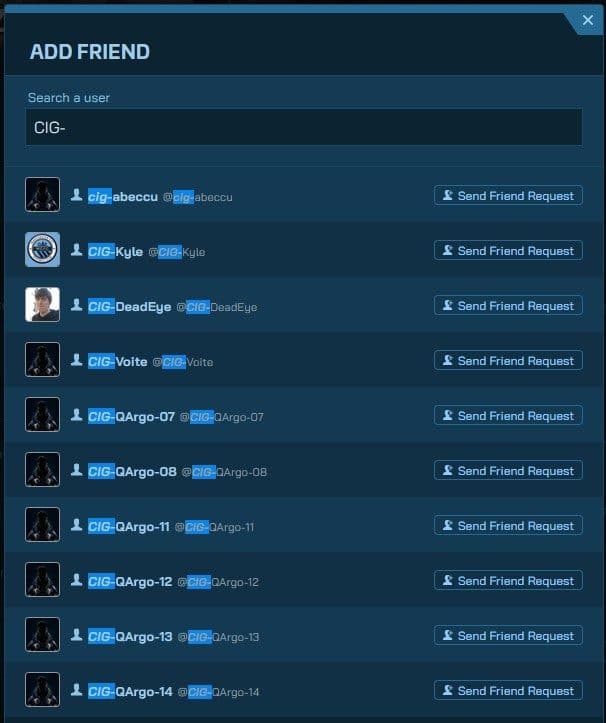
- Click the search icon and type your friend's exact handle.
- Open their profile from the results.
- Click Add Friend.
- They accept the request from Spectrum or in-game. Done.
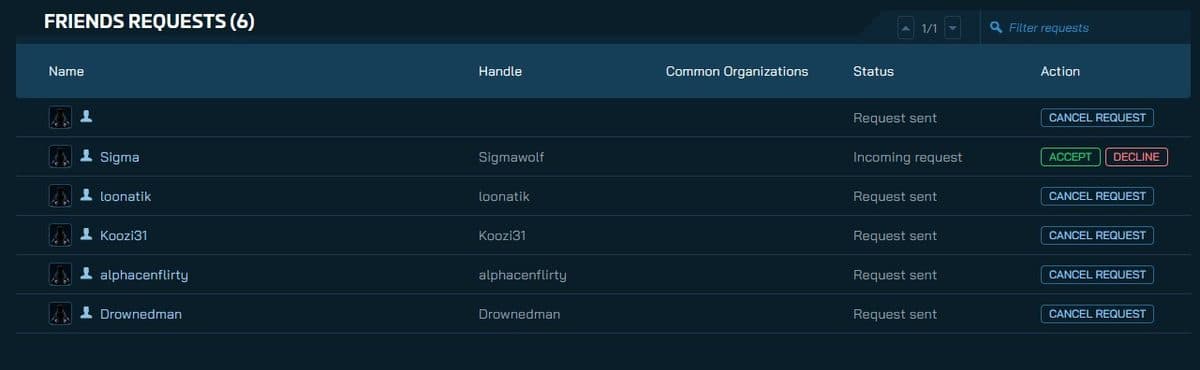
Pending requests live under your avatar menu → Settings → Friends. You can cancel an outgoing request from there too.
Method 2 — Add from the main menu
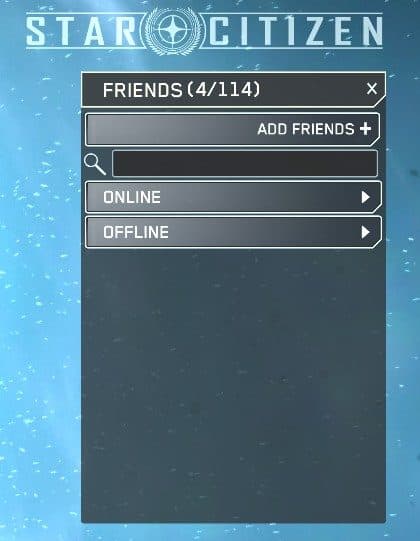
Launch Star Citizen but do not click Enter Universe yet. On the right side of the main menu you will see a Friends panel.
- Click the + Add Friend button at the top of the panel.
- Type the player's handle and confirm.
- The request goes out the same way as a Spectrum request.
Method 3 — Add in-game via mobiGlas
Once you are inside the Persistent Universe, you can send a request without leaving the game.
- Press F11 to open the Commlink (or F1 for mobiGlas → Commlink app).
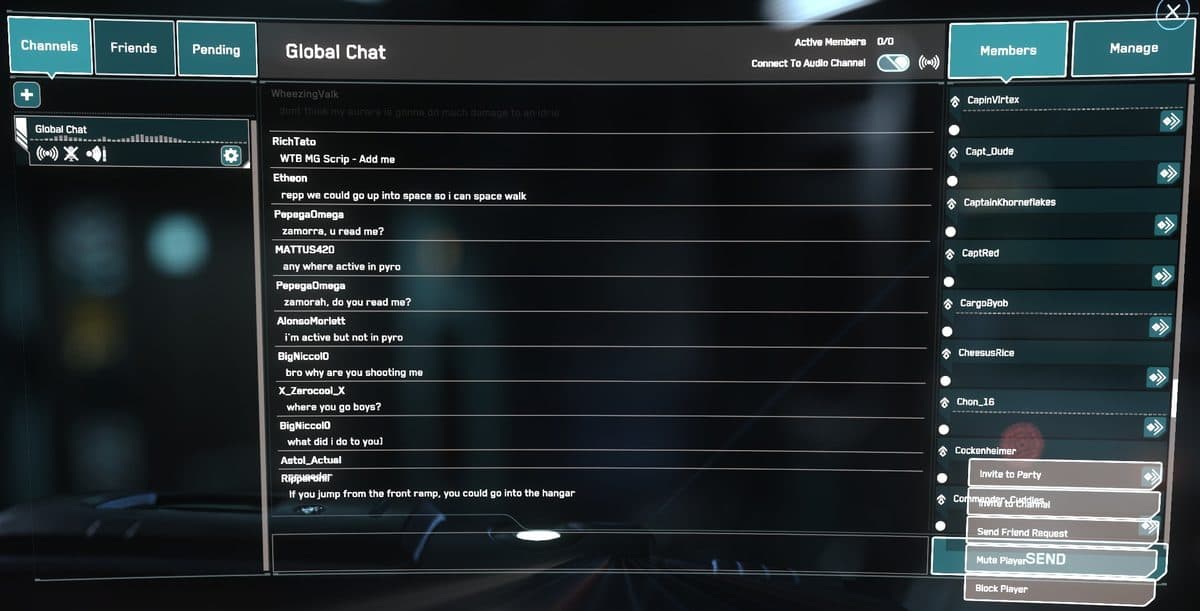
- Select Global Chat from the sidebar.
- Click the Members tab on the right — it lists everyone in the channel right now.
- Click on a player's name and choose Send Friend Request.
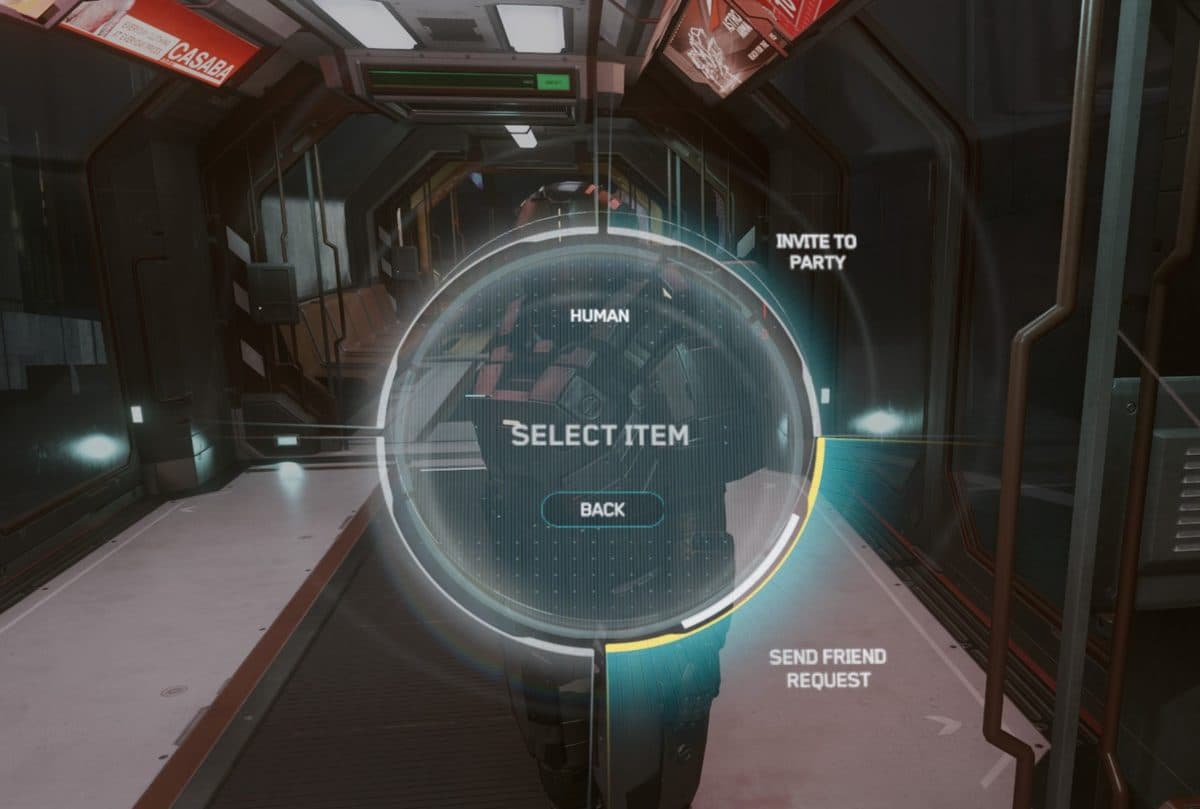
Method 4 — Add via the Inner Thought wheel
If someone is standing right next to you in the world, you do not even need their handle.
- Walk up so the other player is within a few metres of you.
- Hold F to open the Inner Thought interaction wheel.
- Aim at them and select Add Contact.
- The request goes out the normal way from there.
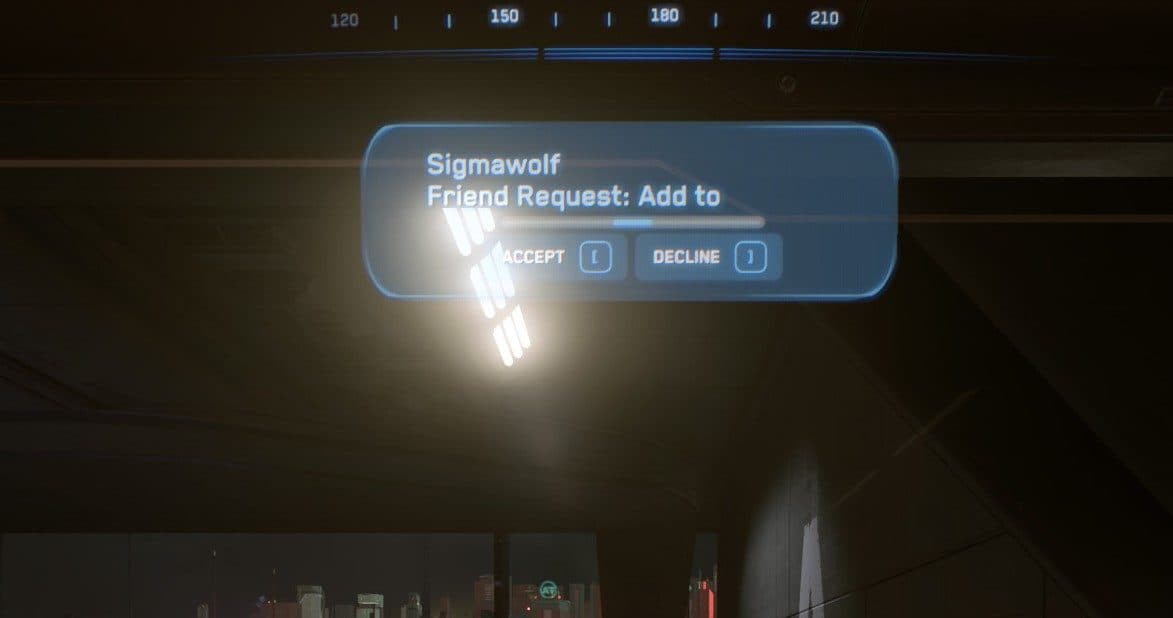
Accepting an incoming request
Requests appear in three places — accept from whichever is easiest:
- Spectrum: avatar menu → Settings → Friends → Accept.
- Main menu: the Friends panel shows pending requests above your accepted contacts.
- In-game: press F11 → Contacts tab → pending requests at the top.
Playing together once you are friends
Adding someone as a friend and playing in the same server are two separate steps. Star Citizen splits players across multiple server shards — think of each shard as its own copy of the universe running in parallel. Being friends does not automatically put you in the same one.
To get on the same shard, form a party before anyone enters the universe. Press F11, right-click your friend's name in the Contacts tab, and choose Invite to Party. Once they accept, the party leader clicks Enter Universe and the game routes everyone to the same shard automatically.
See the Party Management guide for the full walk-through including quantum linking and multi-crew ships.
Troubleshooting: friends list looks empty
This is almost always a display issue — your friends are still on the server, the client just failed to load them. Try these steps in order:
- Check Spectrum first. If your friends show up there, the data is intact. The in-game display is just out of sync.
- Close and reopen the Commlink. Press F11 to close, wait five seconds, press F11 again. Often enough on its own.
- Relog. Quit to the main menu, then to desktop, then re-launch. The contacts list refreshes on session start.
- Clear your USER folder. Exit the game and rename or delete
%LOCALAPPDATA%\Star Citizen\LIVE\USER. The launcher rebuilds it. Your account, characters, and friends list are stored server-side — they are not in that folder.
Clearing the USER folder wipes local keybinds and HUD layouts. Export your keybindings first if you have custom ones.
Friend shows offline when they are online
Online presence updates on a delay. If you know out-of-band (Discord, text) that your friend is in the game, send the party invite anyway — invites are delivered even when the status indicator says offline.
Common questions
What is the fastest way to add a friend?
In-game: press F11, open Global Chat, click the Members tab, click their name, and choose Send Friend Request. Standing next to them? Hold F and select Add Contact — no handle needed.
Where do friend requests show up?
Three places: Spectrum (avatar menu → Settings → Friends), the main menu’s Friends panel, and in-game under F11 → Contacts. Accept from whichever is easiest.
We are friends — why are we not in the same universe?
Friends are not automatically placed on the same server shard. Form a party first (F11 → right-click their name → Invite to Party), then have the party leader enter the universe. The game routes everyone to the same shard.
Not signed up yet? Use a referral code and start with fifty thousand bonus credits.
Get your 50K UEC bonus